Using NSXMLParser to Pull UIImages From the Web

  • Twitter
  • Facebook
  • Digg
  • Reddit
  • StumbleUpon
  • del.icio.us
  • Google Bookmarks
June 19th, 2009 Posted by: (ELC) - posted under:Tutorials

Introduction

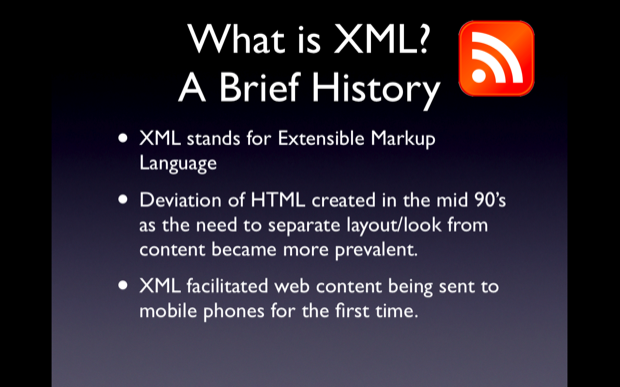
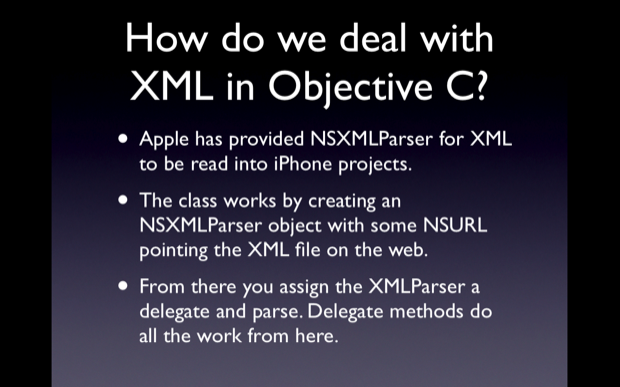
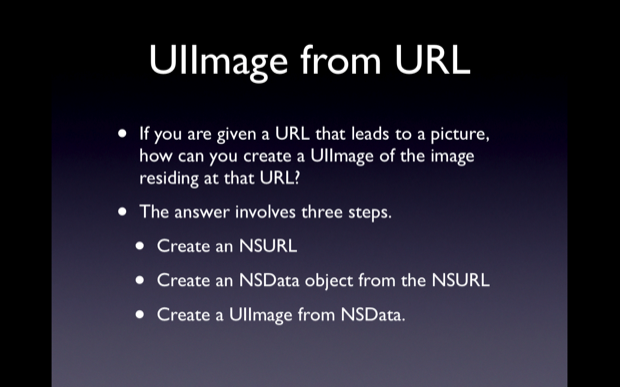
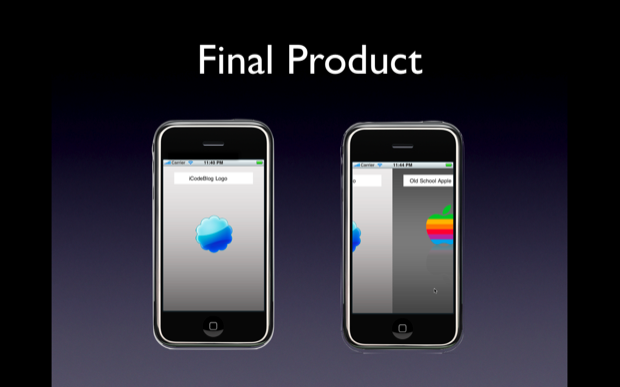
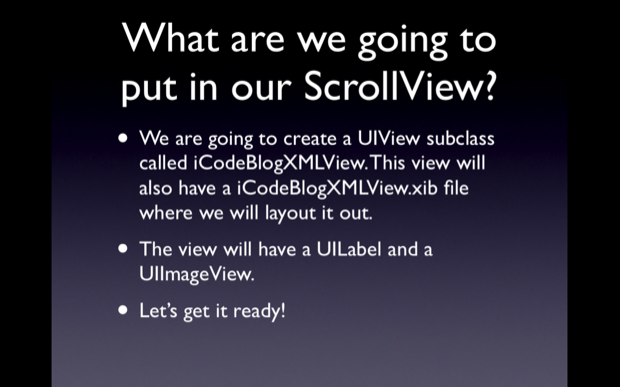
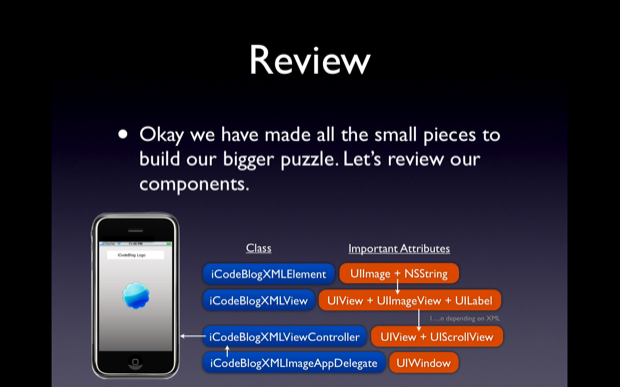
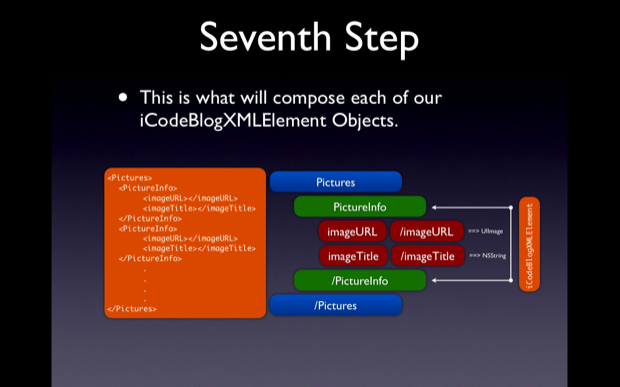
Hello everyone, welcome to my third screeencast. This screencast is the result of a request made in the comments of my first post. I am going to be covering many topics in this post. But the general idea of the app we will build is that it will use an XML file online to get the URL and title of a given picture. For each URL and Title pair a view will be created with a UIImageView showing the image and a UILabel showing the title. Each of these views will be placed in a UIScrollView to flip through, like th functinoality of the Photos app.

Skill Level Medium

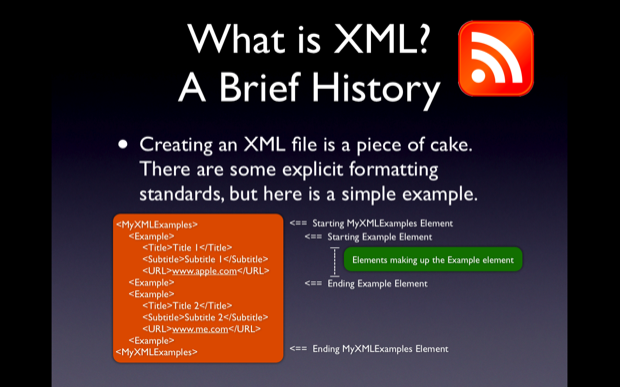
This app is going to require a decent amount of experience with Objective C and xCode. Also some minimal understanding of XML and XML schema/structure would be valuable.

Source Code

Available Here

Screencast

I film myself coding out the entire sample project for each post. I personally think going through the Screencast is the best way to learn. But feel free to look through the slides and text if that suites you better.

iCodeBlog: Using NSXMLParser to pull UIImages off the Web from Collin Ruffenach on Vimeo.

SCREENCAST ADDITION

Adding a final line to layoutSubviews should be:
     [scrollview setFrame:workingFrame];

this will stop the scroll view from bouncing up and down.

Tutorial
picture-32

picture-41

picture-5

picture-61

picture-71

picture-81

picture-91

picture-101

picture-111

picture-121

picture-131

picture-141

picture-151

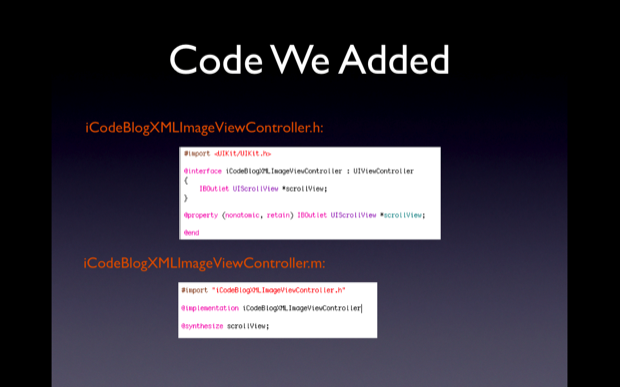
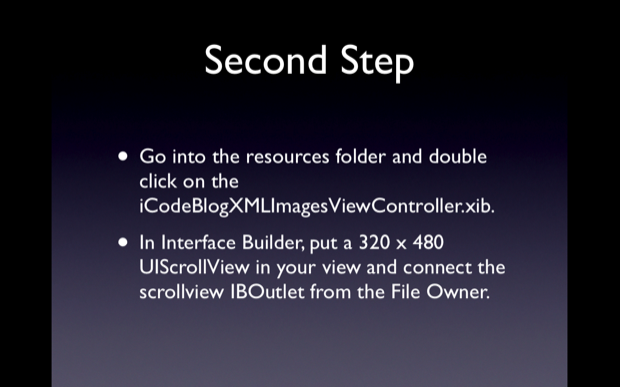
iCodeBlogXMLImagesViewController.h:

@interface iCodeBlogXMLImagesViewController : UIViewController
{
	IBOutlet UIScrollView *scrollview;
}

@property (nonatomic, retain) IBOutlet UIScrollView *scrollview;

iCodeBlogXMLImagesViewController.m

@synthesize scrollview;
picture-161

picture-171

picture-181

picture-191

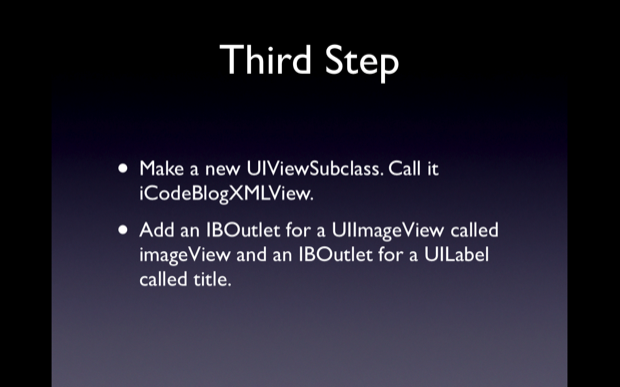
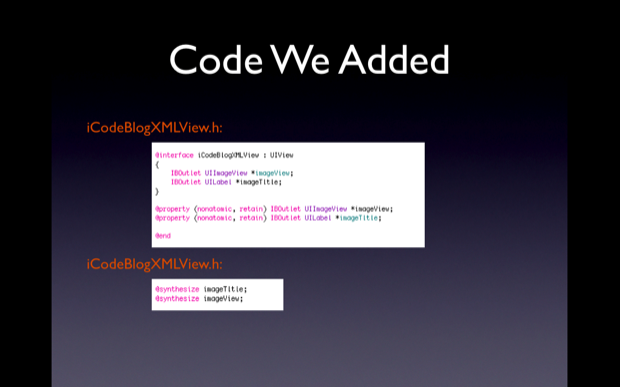
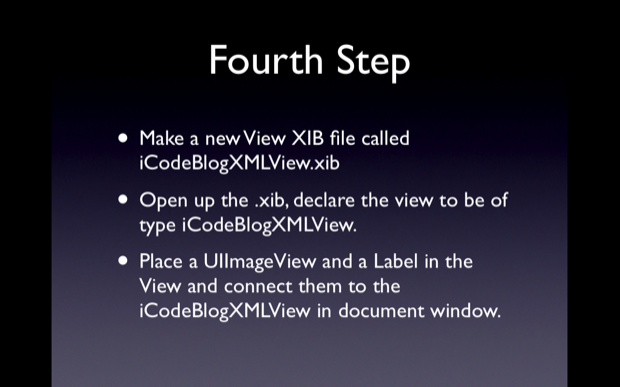
iCodeBlogXMLView.h:

@interface iCodeBlogXMLView : UIView
{
	IBOutlet UIImageView *imageView;
	IBOutlet UILabel *title;
}

@property (nonatomic, retain) IBOutlet UIImageView *imageView;
@property (nonatomic, retain) IBOutlet UILabel *title;

@end

iCodeBlogXMLView.m

@synthesize imageView;
@synthesize title;
picture-201

picture-211

picture-221

picture-23

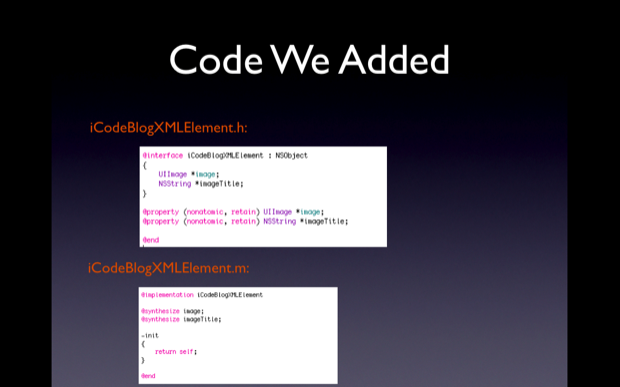
iCodeBlogXMLElement.h:

@interface iCodeBlogXMLElement : NSObject
{
	UIImage *image;
	NSString *imageTitle;
}

@property (nonatomic, retain) UIImage *image;
@property (nonatomic, retain) NSString *imageTitle;

@end

iCodeBlogXMLElement.m

@synthesize image;
@synthesize imageTitle;
picture-241

picture-251

picture-261

picture-27

iCodeBlogXMLImagesViewController.h:

#import <UIKit/UIKit.h>
#import "iCodeBlogXMLElement.h"
#import "iCodeBlogXMLView.h"

@interface iCodeBlogXMLImagesViewController : UIViewController
{
	IBOutlet UIScrollView *scrollview;

	NSXMLParser *parser;
	NSMutableString *currentAttribute;
	NSMutableArray *xmlElementObjects;

	iCodeBlogXMLElement *tempElement;
}

@property (nonatomic, retain) IBOutlet UIScrollView *scrollview;

@property (nonatomic, retain) NSXMLParser *parser;
@property (nonatomic, retain) NSMutableString *currentAttribute;
@property (nonatomic, retain) NSMutableArray *xmlElementObjects;

@property (nonatomic, retain) iCodeBlogXMLElement *tempElement;

-(void)layoutSubview;

@end

iCodeBlogXMLImagesViewController.m

@implementation iCodeBlogXMLImagesViewController

@synthesize scrollview;
@synthesize parser;
@synthesize currentAttribute;
@synthesize xmlElementObjects;
@synthesize tempElement;

...

- (void)viewDidLoad
{
    [super viewDidLoad];

	xmlElementObjects = [[NSMutableArray alloc] init];

	parser = [[NSXMLParser alloc] initWithContentsOfURL:[NSURL URLWithString:@"http://losectrl-gaincommand.com/iCodeBlogHelper/Tutorial3/iCodeBlogImageXML.xml"]];
	[parser setDelegate:self];
	[parser parse];
}

...

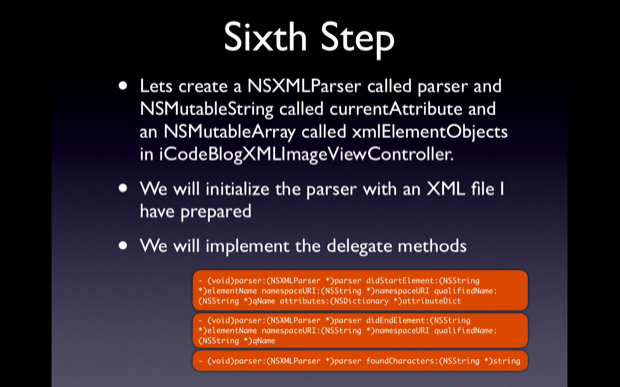
- (void)parser:(NSXMLParser *)parser didStartElement:(NSString *)elementName namespaceURI:(NSString *)namespaceURI qualifiedName:(NSString *)qName attributes:(NSDictionary *)attributeDict
{

}

- (void)parser:(NSXMLParser *)parser didEndElement:(NSString *)elementName namespaceURI:(NSString *)namespaceURI qualifiedName:(NSString *)qName
{

}

- (void)parser:(NSXMLParser *)parser foundCharacters:(NSString *)string
{

}
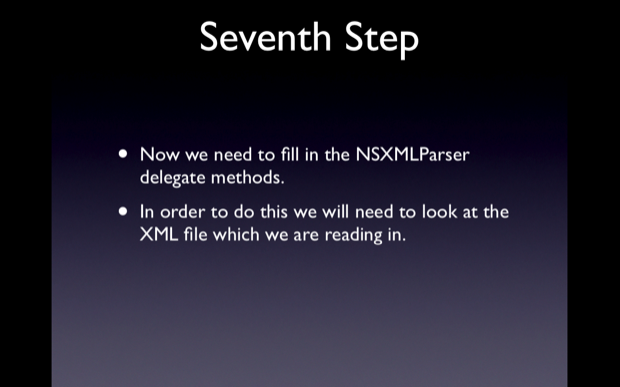
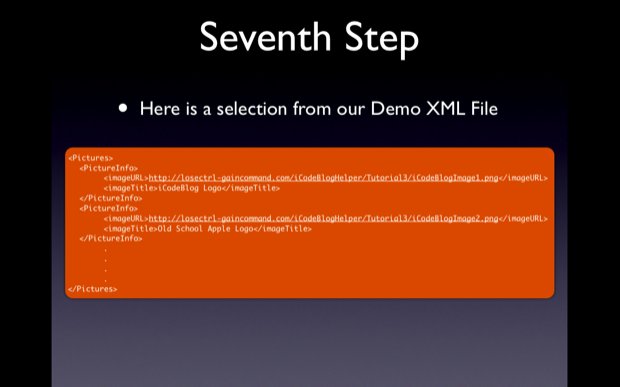
picture-281

picture-291

picture-301

picture-311

iCodeBlogXMLImagesViewController.m

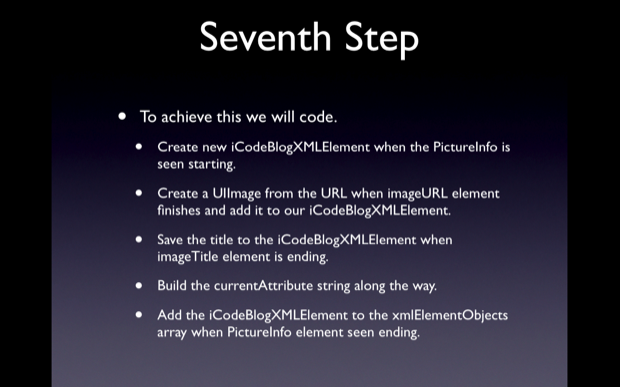
- (void)parser:(NSXMLParser *)parser didStartElement:(NSString *)elementName namespaceURI:(NSString *)namespaceURI qualifiedName:(NSString *)qName attributes:(NSDictionary *)attributeDict
{
	if(![elementName compare:@"PictureInfo"])
	{
		tempElement = [[iCodeBlogXMLElement alloc] init];
	}

	else if(![elementName compare:@"imageURL"])
	{
		currentAttribute = [NSMutableString string];
	}

	else if(![elementName compare:@"imageTitle"])
	{
		currentAttribute = [NSMutableString string];
	}
}

- (void)parser:(NSXMLParser *)parser didEndElement:(NSString *)elementName namespaceURI:(NSString *)namespaceURI qualifiedName:(NSString *)qName
{
	if(![elementName compare:@"PictureInfo"])
	{
		[xmlElementObjects addObject:tempElement];
	}

	else if(![elementName compare:@"imageURL"])
	{
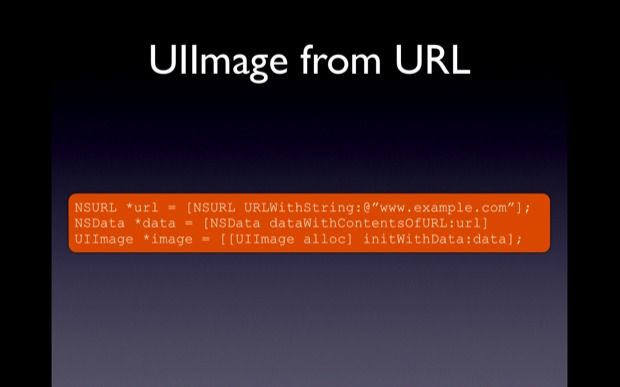
		NSURL *imageURL = [NSURL URLWithString:currentAttribute];
		NSData *data =  [NSData dataWithContentsOfURL:imageURL];
		UIImage *image = [[UIImage alloc] initWithData:data];

		[tempElement setImage:image];
	}

	else if(![elementName compare:@"imageTitle"])
	{
		NSLog(@"The image title is %@", currentAttribute);
		[tempElement setImageTitle:currentAttribute];
	}

	else if(![elementName compare:@"Pictures"])
	{
		[self layoutSubview];
	}
}

- (void)parser:(NSXMLParser *)parser foundCharacters:(NSString *)string
{
	if(self.currentAttribute)
	{
		[self.currentAttribute appendString:string];
	}
}
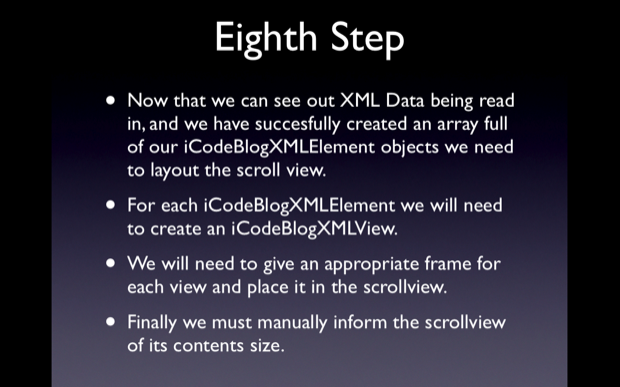
picture-321

iCodeBlogXMLImagesViewController.m

-(void)layoutSubview
{
	CGRect workingFrame;

	workingFrame.origin.x = 0;
	workingFrame.origin.y = 0;
	workingFrame.size.height = 480;
	workingFrame.size.width = 320;

	iCodeBlogXMLView *myView;

	for(iCodeBlogXMLElement *element in [self xmlElementObjects])
	{
		myView = [[iCodeBlogXMLView alloc] initWithFrame:workingFrame];

		NSLog(@"Element title is: %@", [element imageTitle]);

		NSArray *topLeveObjects = [[NSBundle mainBundle] loadNibNamed:@"iCodeBlogXMLView" owner:nil options:nil];

		for(id currentObject in topLeveObjects)
		{
			if([currentObject isKindOfClass:[iCodeBlogXMLView class]])
			{
				myView = (iCodeBlogXMLView *)currentObject;
			}
		}

		[[myView imageView] setImage:[element image]];
		[[myView title] setText:[element imageTitle]];
		[myView setFrame:workingFrame];

		[scrollview addSubview:myView];

		workingFrame.origin.x = workingFrame.origin.x + 320;
	}

	workingFrame.size.width = workingFrame.origin.x;
	[scrollview setContentSize:workingFrame.size];

	workingFrame.origin.x = 0;
	workingFrame.origin.y = 0;
	workingFrame.size.width = 320;
	workingFrame.size.height = 480;
}

picture-33

iCodeBlogXMLImagesViewController.m

	parser = [[NSXMLParser alloc] initWithContentsOfURL:[NSURL URLWithString:@"http://losectrl-gaincommand.com/iCodeBlogHelper/Tutorial3/iCodeBlogImageXMLB.xml"]];
  • http://www.appstoremod.com AppStoreMod

    Great Tutorial Dude. Only one tip you kinda go a little to fast. Other then that I love your tuts man !

  • http://www.tmuro.com William

    This tutorial is awesome.
    Thanks for the source code,

    Could you post the source code of the “Custom UItableViewCell Using IB” tutorial.

    Thanks.

  • http://www.rightsprite.com Collin

    William,

    Updated the Custom UITableViewCell Using IB post with the source. Thanks for reading!

  • http://www.tmuro.com William

    GREAT!
    Thanks a lot, keep up the good work.

    Thanks
    William Muro

  • http://www.objectmethod.it ivan.rosina

    really a great tutorial. exactly what i need !

  • Jake

    I was curious if there was an easy way to speed up the parsing of the XML data. Also how hard would it be to use this same general layout of the app but using a .plist file to load the images and titles? Would you be able to parse an XML file with categories into a UITableView and then when a category is selected be able to transition to the proper view with that categories XML data?

  • Nuri

    Hey Collin,

    I am new to xcode, your tutorials really gave me a good start to understand how xcode works.

    Many thanks

    Nuri

  • Fernando

    This was yet another excellent tutorial.

    I have one issue with it though, but I don’t know if anyone else here can test. While this does properly work in the simulator, when I actually attempt to compile it to the device I get a warning in the console, and the screen does not seem to fill. This is fully functioning on the simulator however.

    This is on a second generation iPod Touch that has a wifi connection available. All I get is a grey screen.

    Here is the log:

    [Session started at 2009-06-23 01:04:09 -0400.]
    GNU gdb 6.3.50-20050815 (Apple version gdb-1119) (Thu May 14 05:35:37 UTC 2009)
    Copyright 2004 Free Software Foundation, Inc.
    GDB is free software, covered by the GNU General Public License, and you are
    welcome to change it and/or distribute copies of it under certain conditions.
    Type “show copying” to see the conditions.
    There is absolutely no warranty for GDB. Type “show warranty” for details.
    This GDB was configured as “–host=i386-apple-darwin –target=arm-apple-darwin”.tty /dev/ttys001
    sharedlibrary apply-load-rules all
    Loading program into debugger…
    Program loaded.
    target remote-mobile /tmp/.XcodeGDBRemote-199-35
    Switching to remote-macosx protocol
    mem 0×1000 0x3fffffff cache
    mem 0×40000000 0xffffffff none
    mem 0×00000000 0x0fff none
    run
    Running…
    [Switching to thread 10755]
    [Switching to thread 10755]
    (gdb) continue
    warning: Unable to read symbols for “”/Users/admin/Development Files/iCodeBlogXMLImages/build/Debug-iphoneos”/iCodeBlogXMLImages.app/iCodeBlogXMLImages” (file not found).
    warning: Unable to read symbols for “”/Users/admin/Development Files/iCodeBlogXMLImages/build/Debug-iphoneos”/iCodeBlogXMLImages.app/iCodeBlogXMLImages” (file not found).

  • Fernando

    actually, nevermind. I figured it out. I was using the wrong URL for this, and somehow it didn’t get refreshed on my simulator until I ‘touched’ everything again.

  • Fernando

    On a side note, if anyone noticed the problem with the scroll view, it was buggy because the view size was set to 320×480, instead of what it should be. I forget how much the top bar takes up, I think there is a constant for this.

  • Jake

    All you need to do for that is set the UIScrollBarHidden option in the plist and set the value to type Boolean and check the checkbox and it will take the menu bar away.

  • Brian Kendig

    Thank you for the terrific tutorial! I’m having trouble, though; my app crashes on this line:

    NSArray *topLeveObjects = [[NSBundle mainBundle] loadNibNamed:@”iCodeBlogXMLView” owner:nil options:nil];

    The error is “[ setValue:forUndefinedKey:]: this class is not key value coding-compliant for the key imageView.”

    If I ‘unhook’ the imageView connection in Interface Builder, so that the ‘imageView’ outlet isn’t connected to my UIImageView object, then I get the same error complaining about ‘title’. If I unhook the title, so that neither outlet is connected, then the nib loads and the app runs (but doesn’t do anything interesting). What am I doing wrong?

    Thank you for your help!

  • Brian Kendig

    Whups, the web page ate part of the error message. If I replace lessthan-greaterthan with parentheses, the error starts out:

    [(NSObject 0xd54eb0) setValueForUndefinedKey:]: …

    Of course an NSObject isn’t going to understand the key ‘imageView’, but I don’t understand why it’s trying to send that key to an NSObject instead of to an iCodeBlogXMLView.

  • Brian Kendig

    I figured it out! With the help of your source code that I downloaded.

    The problem was that I was hooking up ‘title’ and ‘imageView’ from File’s Owner. I had to unhook those, then hook the same two things from I Code BlogXML. (Weird way Interface Builder has of representing names.) Now the app works fine!

  • Ramu

    Great tutorial dude .
    if possible please post a tutorial how to parse a local XML file on the desktop and display the data in the tableView

    Thanks dude for a great tutorial

  • Jetzdax

    Great tutorial. Quite a lot to take but it is like a good book, you can always go back and watch again to absorb more if need.

    With the scroll view looking a bit buggy, I think it is because the size is set at 320×480 in the code but in the XIB, the status bar is left on, hence your UIView is at 320×460.

    It can be fixed by setting the “Status Bar” in Interface Builder to “None” instead of gray, and subsequently in the applicationDidFinishLaunching method, add the line:

    [[UIApplication sharedApplication] setStatusBarHidden:YES animated:NO];

    Just wanted to contribute :-)

  • Roland Combes

    As people have mentioned, the easiest way to fix the unwanted vertical scrolling is by changing the following lines at the top and bottom of the layoutSubView procedure in iCodeBlogXMLImagesViewController.m…

    workingFrame.size.height = 460;

    One problem I’m having is that the first URL works fine (albeit slowly) but the second one (http://losectrl-gaincommand.com/iCodeBlogHelper/Tutorial3/iCodeBlogImageXMLB.xml) causes the iPhone simulator to hang for a long period and then close the iCodeXMLImages app.

    I can’t seem to determine why this is although I am using 2.2.1 (haven’t yet downloaded the 3.0 package due to failed downloads).

    Excellent tutorial though. Thanks.

  • Nandakumar

    Hi,
    Great tutorial man….

    I have gone through most of your tutorials…find them very helpful in solving my issues..
    I have a doubt, is it possible to create an xml file in Iphone… i used NSXmlDocument to generate it in simulator, but that doesn’t work on iphone???

    Any help will be really helpful?

  • Fernando

    @Roland Combes

    I had this exact problem when I took this application to an actual device. The issue is that the bulk of the work is done when the application is just finishing loading, and hasn’t fully launched.

    What occurs is the program times out during its initial load sequence (there is some sort of time limit for the initial loading of a program – although I have not figured out what exactly controls it). This time also seems to vary at every launch (it takes longer to time out sometimes, and less time to timeout other times).

    This ‘timeout’ occurs only if you are not running the program from xCode, but are running a precompiled version on your iPhone/iPod or I guess simulator (haven’t actually verified).

    The major lag occurs because the iPhone is accessing all the data, one image at a time, at launch time over the internet (which is not incredibly fast). I imagine this problem would be non-existent if you already had the xlm and images on your iPod touch, but then you would not be parsing/referncing an NSUrl (part of the point of this tutorial).

    Also, this problem only happens because this delay occurs during load time, which would never occur on a real program (since you will want to optimize your code so that it launches almost immediately, and only fetches data from the internet if it has to).

    The simple way to figure out what exactly is occuring is to try to monitor all the messages that get sent to the appDelegate. I have as of yet figured out how to do this while the application is not attached to xcode.

  • Daniel

    I guess the xml file used for this article was removed….

  • Alexander

    Thanx for great tutorials.

    But almost all the source and videos are missing/dead links.

    Is there any possibility for getting ‘em linked up again?

  • richard

    I’d really like to watch the screencast.
    Can you put it back on-line?

  • Holiday

    This is a great tutorial. I also need the XML file to complete the tutorial. Did anyone happen to download it?

  • http://NA Shane

    I’d also really like to have look at this tutorial. Would you mind putting the source and tut back online please.

    Many thanks and keep up the excellent site.

  • Andrey

    Great Tutorials!
    Please fix broken links!

  • Ipodmail

    BROKEN LINKS PLEASE FIX

  • Jeremy

    One question – with this line:

    myView = [[iCodeBlogXMLView alloc] initWithFrame:workingFrame];

    Where does it get released? Especially if it’s being allocated multiple times in a for loop won’t this lead to big memory leaks? Thanks.

  • http://doarmind.blogspot.com Vasilis

    Super tutorial man!

    Can anyone please upload the files somewhere since the links are broken? :(

  • Shogan

    Hey guys, I know the links are broken, but by using clues and google you can re-create what you are missing. I completed this tutorial the other night – screencast can be found on vimeo.com, and if you want XML data, you can use my XML I created for this: just put the following link in place of the ctrl-alt-command URL…

    http://dl.getdropbox.com/u/450727/sean.xml

    At the moment I only have two pics loaded into it, but it works fine and you can scroll back and forward between the two images. It also loads a bit quicker than having 10 pics in there!

    Let me know if it works ok in your tutorial apps :)

    All I did was look at the screenshot in the screencast, and re-created my own XML using the info I could make out in the screenshots.

  • Sven

    Nice Tutorial, but would be great to offer a working link for the source code.

    Thank you

  • Amar

    Please update the link to Source Code for Using NSXMLParser to Pull UIImages From the Web (this tutorial)

  • Pete

    Great tutorial, it was just what i was looking for.

    Can someone update the link though so it can be tested in the simulator.

  • http://www.sonic.net/~mollyf/blog Molly Fisher

    For those who want to see this code in action, download the sample. Even though the link is history, it’s pretty easy to make and post your own test .xml file and a few images on a web server. If you use the same xml layout as is shown in the tutorial, you don’t have to change anything in the example code except that one URL near the beginning of iCodeBlogXMLImagesViewController.m

  • fahad

    do is support image of any resolution ?

  • madmagi

    Thanks for a great tutorial. I have used it as a baseline for an app i was working on. One problem i am running into however i could use some help on. If the first image is smaller than the area, i see some of the next image bleeding over on the right side – how do i resolve this?

    Example
    IMAGEIMAGEXXXX

    IMAGEIMAGE is the first image, the XXXX is part of the second image. Then when i scroll to the second image, there is part of the 3rd image on the right of that one as well.

    The final image if there is 3, is fine.

    Thanks

  • Raj

    This is great tutorial. I have a problem. My NSXML parser method are not started. When I try to debugg It never trigger that event. Any help please advise.

  • http://www.adoptioncurve.net/archives/2010/02/links-for-2010-02-01.php adoption curve dot net » Blog Archive » links for 2010-02-01

    [...] Using NSXMLParser to Pull UIImages From the Web | iCodeBlog "But the general idea of the app we will build is that it will use an XML file online to get the URL and title of a given picture. For each URL and Title pair a view will be created with a UIImageView showing the image and a UILabel showing the title. Each of these views will be placed in a UIScrollView to flip through, like th functinoality of the Photos app." (tags: objective-c iphone app apps code development objectivec NSXMLParser XML) [...]

  • Gabriela

    Excellent tutorial …

    could help me with a problem?
    my application is closed in the process of loading parser ten images.

    any help thank you very much ..

  • http://- alex thompson

    awesome tutorials. is there a page where i can find all of the tutorials you’ve done so far?

  • Chris

    I’m using Xcode 3.1 and I’m not seeing a Scroll View in Interface Builder. Is this something on my end I’m missing, or are scroll views handled differently since this tutorial was first created?

  • http://akosma.com/2010/05/28/initwithcontentsofurl-methods-considered-harmful/ initWithContentsOfURL: Methods Considered Harmful | akosma software

    [...] some online tutorials use them as a quick-and-dirty way to load resources from the network (for example this one on iCodeBlog), and I have myself seen production code using this [...]

  • http://www.edgarnunez.net Edgar

    Thank you so much for this tutorial. I’m just getting started with NSXMLParser and I’ve been racking my brain over how it works until now.

    Sir, my imaginary hat is off to you.

  • Jean

    I think this line :
    ” myView = [[iCodeBlogXMLView alloc] initWithFrame:workingFrame]; ”
    in function -(void)layoutSubview of iCodeBlogXMLImagesViewController.m
    should be deleted, because it causes memory leaks .

    (myView is provided by loadNibNamed)

    Thanks for this very good tutorial

  • MIghtyMike

    I only get a screen that says testing.

  • Donnie

    Great Tutorial…both webcast and print.
    Question on an issue I’m having. I’ve added a name field to my XML element. So, now I have image, title and name. Seems like I have everything hooked up ok, as it builds and runs with no issues. However, when it displays the data, only the image and the title change with the scroll, the name stays the same on all views. Is this a problem with using setText? My code reads [[myView v_name] setText: [element _name]];
    Where v_name is the UILable from the view and _date is my element. An interesting point is in XCode, the two pieces that are updating (image and title) are color coded in purple, the corresponding variable (_name) is in an aqua blue color. I’m sure this is significant, just not sure in what way.
    Any thoughts?

  • Donnie

    WOW…never mind! Totally blew that. I didn’t realize I had just cut and paste the data into the XML file….actually, I was positive I didn’t!

  • http://www.ti.com lilzz

    why all the compares started with Not or ! signs?

  • http://www.facebook.com/people/Vo-Danh/100000100538222 Vo Danh

    Can you public the xml file ?
    thanks!

  • http://www.facebook.com/profile.php?id=1180540351 Brenden Scott Ellingboe

     This is awesome.. except I’ve run into a few problems incorporating pieces into my project.

    i’m getting this error:
    “*** Terminating app due to uncaught exception ‘NSUnknownKeyException’, reason: ‘[ setValue:forUndefinedKey:]: this class is not key value coding-compliant for the key imageView.’”

    Any help would be awesome

    p.p1 {margin: 0.0px 0.0px 0.0px 0.0px; font: 11.0px Menlo}

  • Makdeniz

    This is awesome tut, thank you and for those who share their knowledge like you in a perfect presentation.
    plus, i have one question.
    this app load everything on xml file
    how can we make this app to load image ever time it is shown (to reduce load time)

  • Jmlee

    I have the  exact same code as you except i made the display 768×1020 so that it shows up on the iPad.  I dont get any images to show up though.  I only see a white screen?  Any thoughts?

  • Rob DeNicola

    ANy idea on how parse videos from an xml document in this manner as well more specifically music videos from yahoo for example?Anhy assitsance would be greatly appreciated.

    Thanks,

    Rob De.

blog comments powered by Disqus