Objective C 2.0: An Intro – Part 2

  • Twitter
  • Facebook
  • Digg
  • Reddit
  • StumbleUpon
  • del.icio.us
  • Google Bookmarks
June 29th, 2009 Posted by: (ELC) - posted under:Tutorials

Introduction

Hello everyone, welcome to my fourth screeencast. This is the second in my series introducing readers to Objective C. Let’s dive in.

Skill Level Beginner

Source Code

Available Here

Screencast

I film myself coding out the entire sample project for each post. I personally think going through the Screencast is the best way to learn. But feel free to look through the slides and text if that suites you better.

iCodeBlog Tutorial: Objective C 2.0 An Intro Part 2 from Collin Ruffenach on Vimeo.

Tutorial

objectivec20anintropt2001

objectivec20anintropt2002

objectivec20anintropt2003

objectivec20anintropt2004

objectivec20anintropt2005

objectivec20anintropt2006

objectivec20anintropt2007

objectivec20anintropt2008

objectivec20anintropt2009

objectivec20anintropt2010

objectivec20anintropt2011

objectivec20anintropt2012

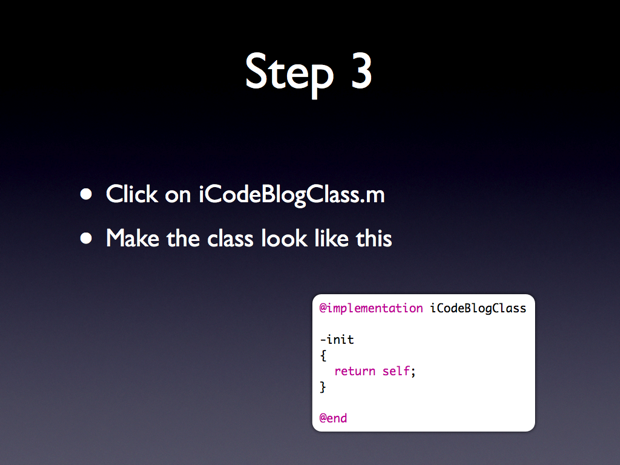
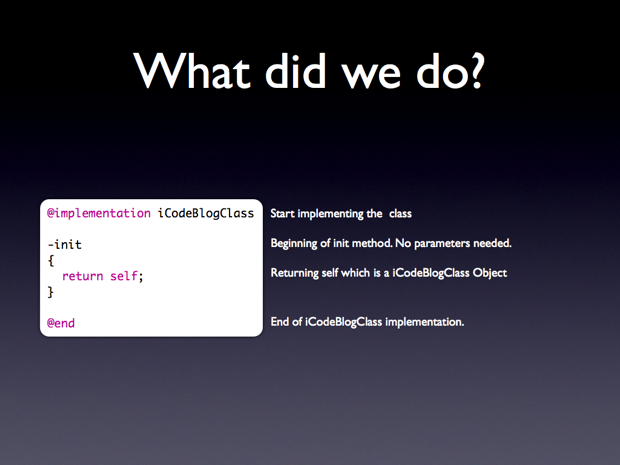
iCodeBlogClass.m:

@implementation iCodeBlogClass

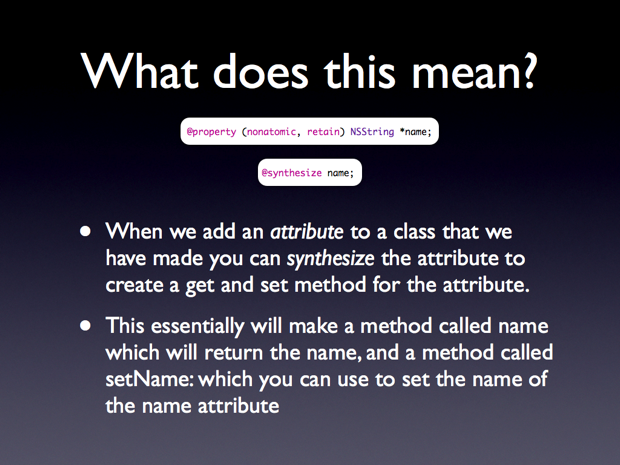
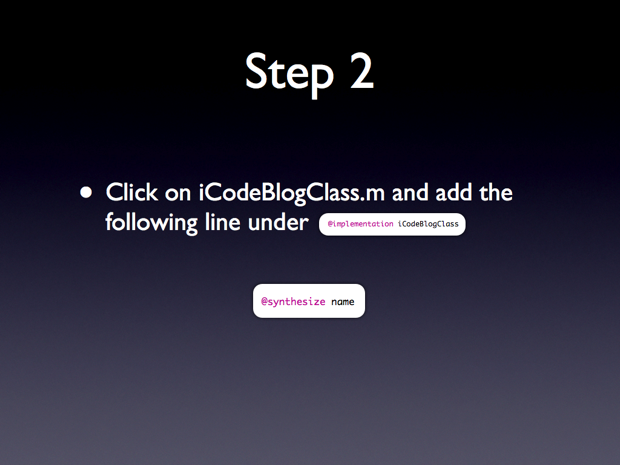
@synthesize name;

-init
{
	return self;
}

@end
objectivec20anintropt2013

objectivec20anintropt2014

objectivec20anintropt2015

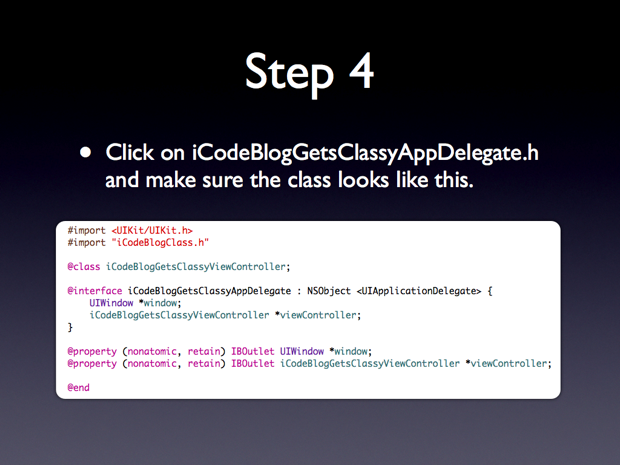
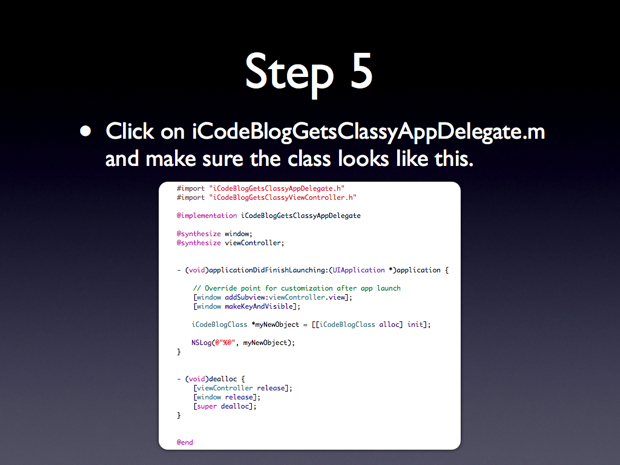
iCodeBlogGetsClassy.h:

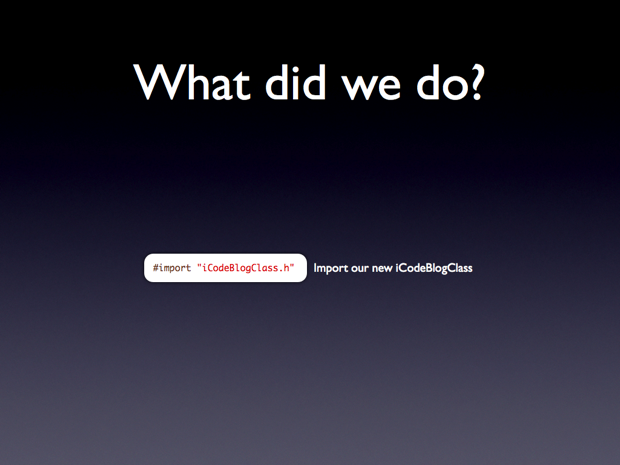
#import "iCodeBlogClass.h"
objectivec20anintropt2016

objectivec20anintropt2013

objectivec20anintropt2014

objectivec20anintropt2015

iCodeBlogGetsClassy.h:

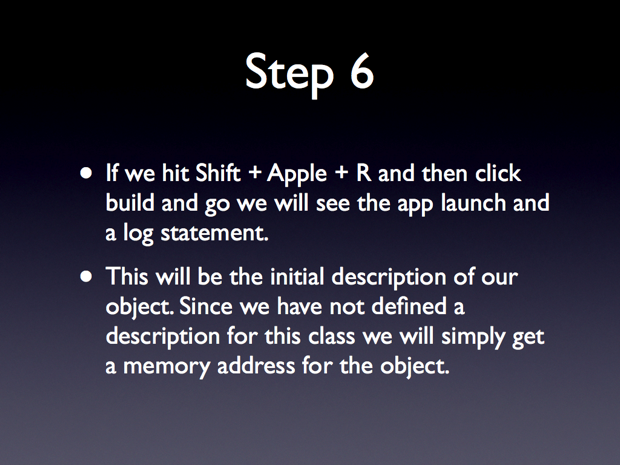
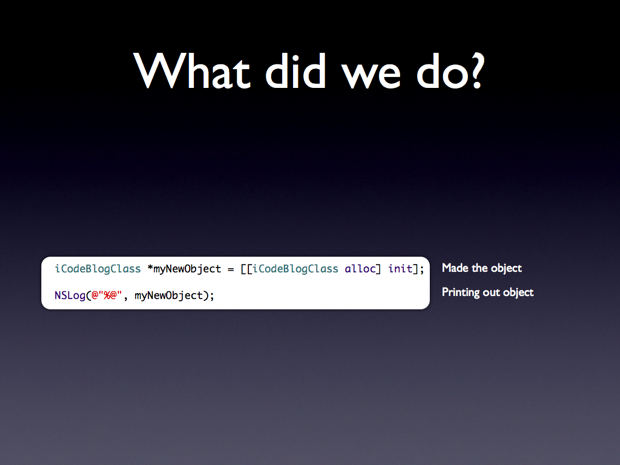
iCodeBlogClass *myNewObject = [[iCodeBlogClass alloc] init];
NSLog(@"%@", myNewObject);
objectivec20anintropt2017

objectivec20anintropt2018

objectivec20anintropt2019

objectivec20anintropt2020

objectivec20anintropt2021

objectivec20anintropt2020

objectivec20anintropt2023

objectivec20anintropt2024

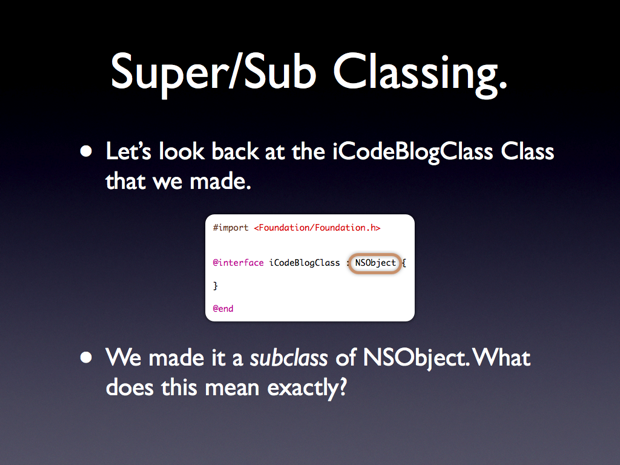
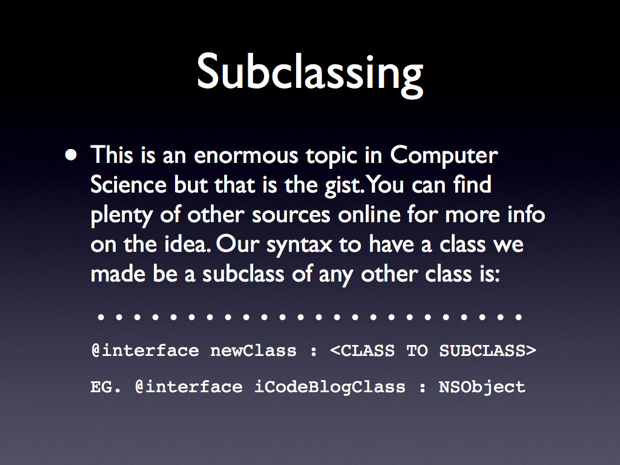
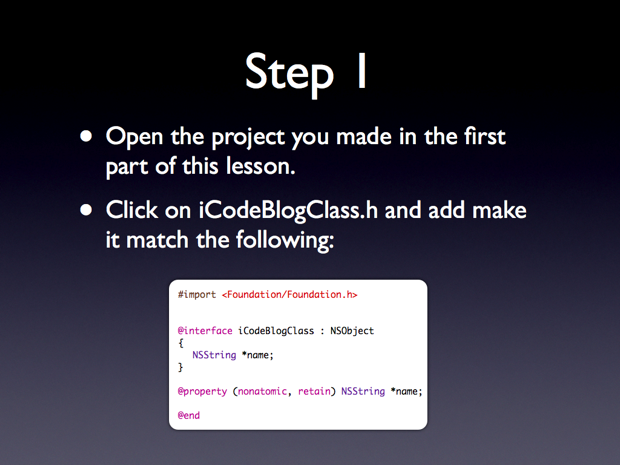
iCodeBlogClass.h:

#import <Foundation/Foundation.h>

@interface iCodeBlogClass : NSObject
{
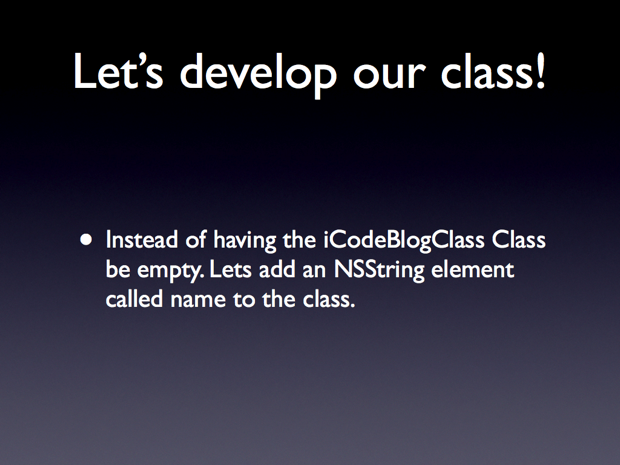
	NSString *name;
}

@property (nonatomic, retain) NSString *name;

@end
objectivec20anintropt2025

iCodeBlogClass.m:

@synthesize name;

objectivec20anintropt2026

objectivec20anintropt2027

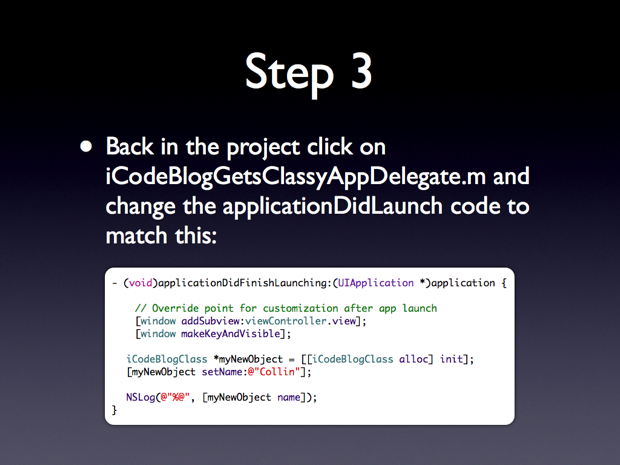
iCodeBlogGetsClassy.m:

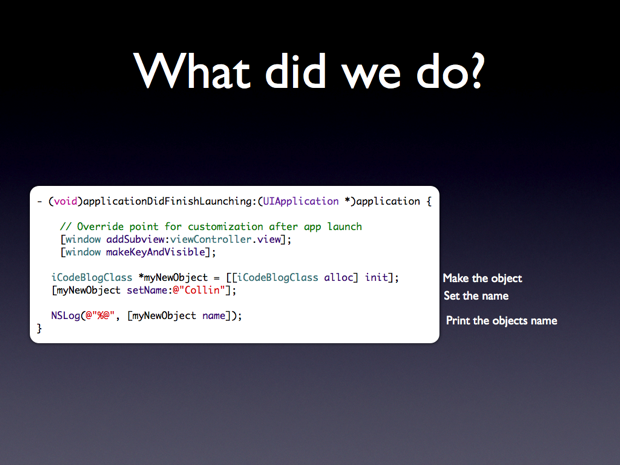
iCodeBlogClass *myNewObject = [[iCodeBlogClass alloc] init];
[myNewObject setName:@"Collin"];

NSLog(@"%@", [myNewObject name]);
objectivec20anintropt2028

objectivec20anintropt2029

objectivec20anintropt2030

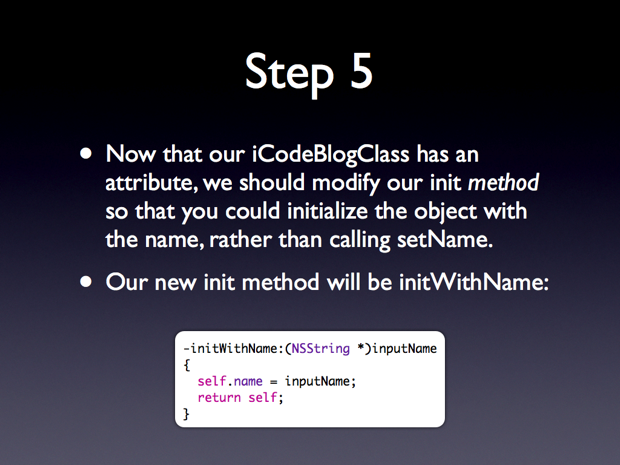
iCodeBlogClass.m:

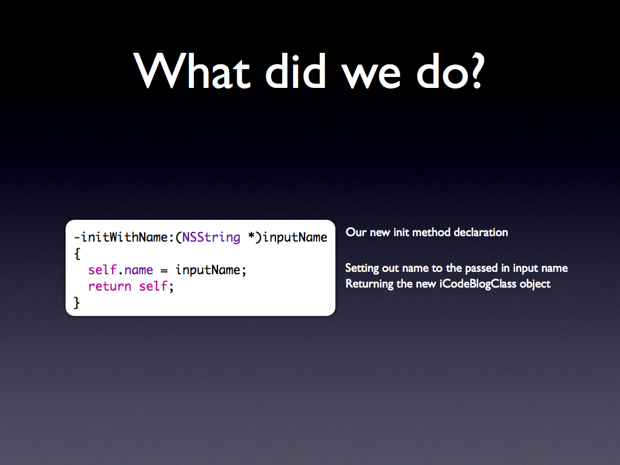
-initWithName:(NSString *)inputName
{
     self.name = inputName;
     return self;
}
objectivec20anintropt2031

objectivec20anintropt2032

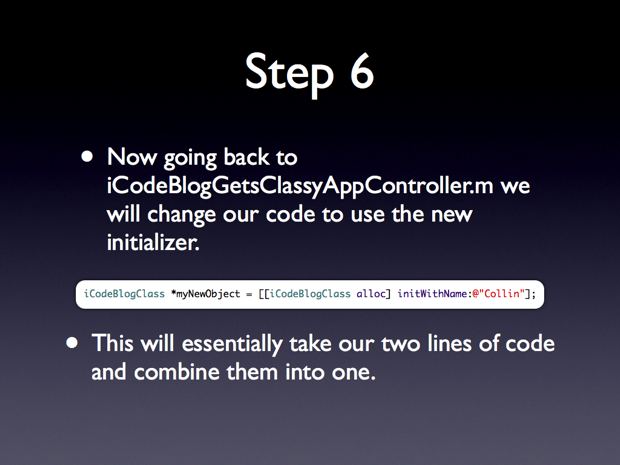
iCodeBlogGetsClassy.m:

iCodeBlogClass *myNewObject = [[iCodeBlogClass alloc] initWithName:@"Collin"];
objectivec20anintropt2033

objectivec20anintropt2034

objectivec20anintropt2035

objectivec20anintropt2036

objectivec20anintropt2037

objectivec20anintropt2038

objectivec20anintropt2039

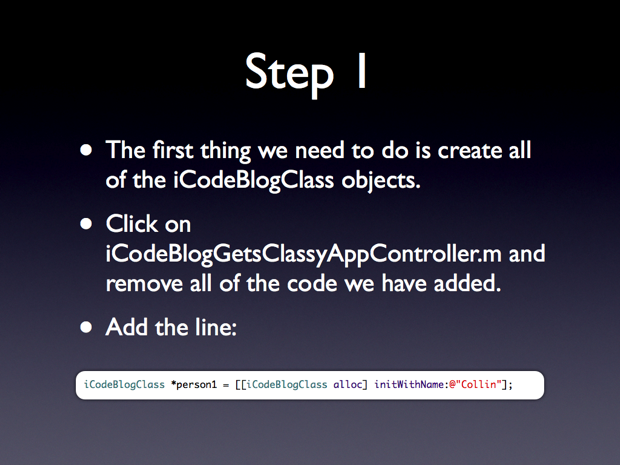
iCodeBlogGetsClassy.m:

iCodeBlogClass *person1 = [[iCodeBlogClass alloc] initWithName:@"Collin"];
objectivec20anintropt2040

iCodeBlogGetsClassy.m:

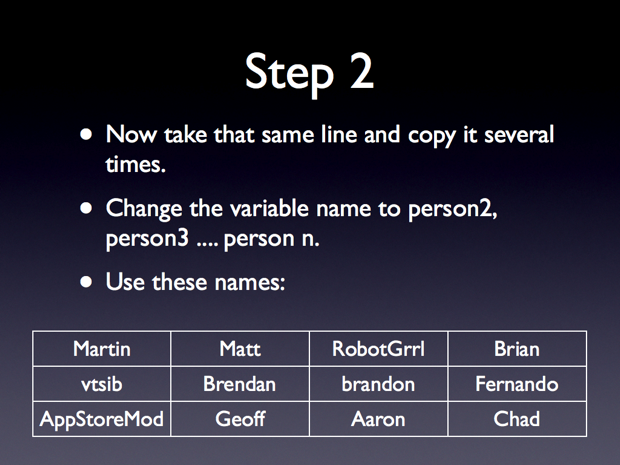
	iCodeBlogClass *person1 = [[iCodeBlogClass alloc] initWithName:@"Collin"];
	iCodeBlogClass *person2 = [[iCodeBlogClass alloc] initWithName:@"Martin"];
	iCodeBlogClass *person3 = [[iCodeBlogClass alloc] initWithName:@"vtsib"];
	iCodeBlogClass *person4 = [[iCodeBlogClass alloc] initWithName:@"AppStoreMod"];
	iCodeBlogClass *person5 = [[iCodeBlogClass alloc] initWithName:@"Matt"];
	iCodeBlogClass *person6 = [[iCodeBlogClass alloc] initWithName:@"Brendan"];
	iCodeBlogClass *person7 = [[iCodeBlogClass alloc] initWithName:@"Geoff"];
	iCodeBlogClass *person8 = [[iCodeBlogClass alloc] initWithName:@"RobotGrrl"];
	iCodeBlogClass *person9 = [[iCodeBlogClass alloc] initWithName:@"brandon"];
	iCodeBlogClass *person10 = [[iCodeBlogClass alloc] initWithName:@"Aaron"];
	iCodeBlogClass *person11 = [[iCodeBlogClass alloc] initWithName:@"Brian"];
	iCodeBlogClass *person12 = [[iCodeBlogClass alloc] initWithName:@"Fernando"];
	iCodeBlogClass *person13 = [[iCodeBlogClass alloc] initWithName:@"Chad"];
objectivec20anintropt2041

iCodeBlogGetsClassy.m:

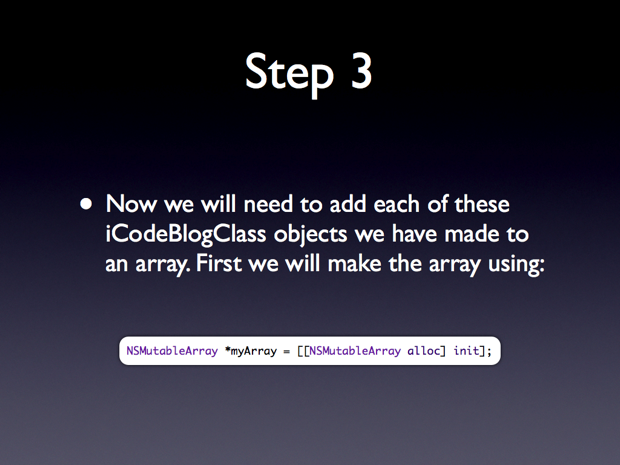
NSMutableArray *myArray = [[NSMutableArray alloc] init];
objectivec20anintropt2042

iCodeBlogGetsClassy.m:

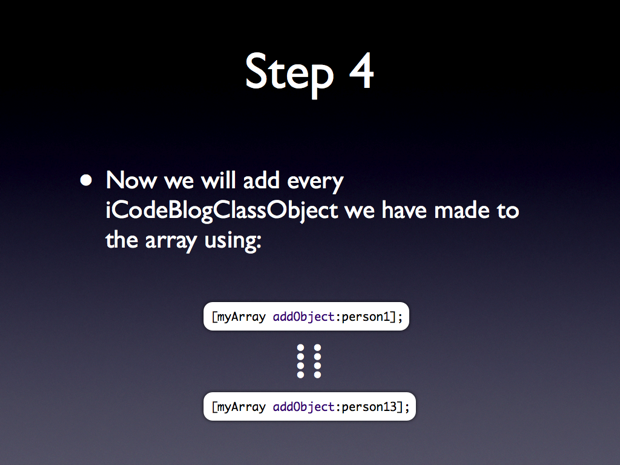
	[myArray addObject:person1];
	[myArray addObject:person2];
	[myArray addObject:person3];
	[myArray addObject:person4];
	[myArray addObject:person5];
	[myArray addObject:person6];
	[myArray addObject:person7];
	[myArray addObject:person8];
	[myArray addObject:person9];
	[myArray addObject:person10];
	[myArray addObject:person11];
	[myArray addObject:person12];
	[myArray addObject:person13];
objectivec20anintropt2043

objectivec20anintropt2044

objectivec20anintropt2045

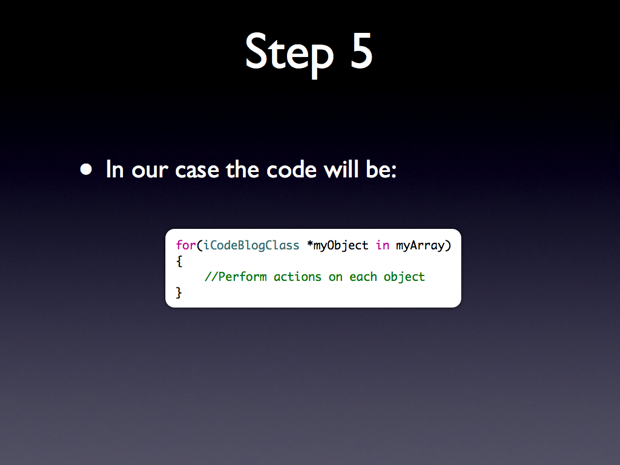
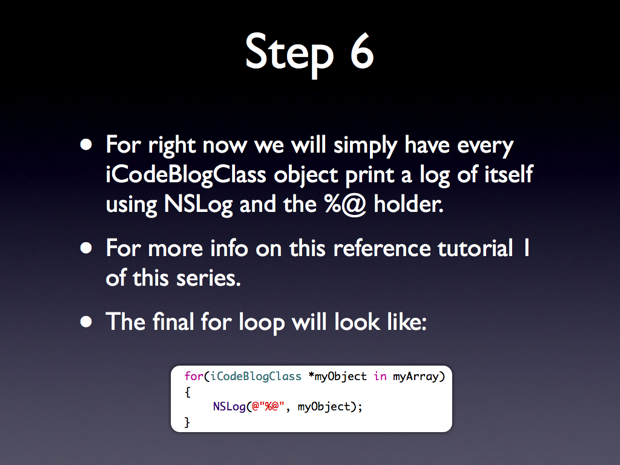
iCodeBlogGetsClassy.m:

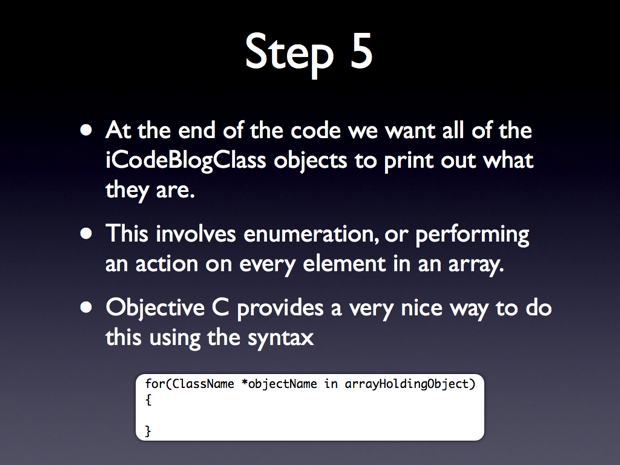
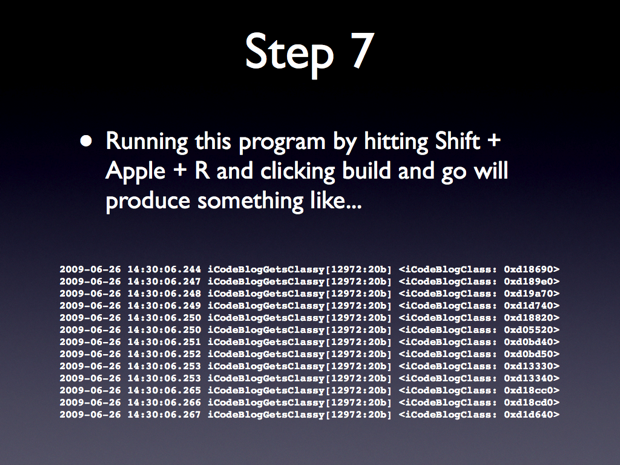
	for(iCodeBlogClass *myObject in myArray)
	{
		NSLog(@"%@", myObject);
	}
objectivec20anintropt2046

objectivec20anintropt2047

objectivec20anintropt2048

iCodeBlogGetsClassy.m:

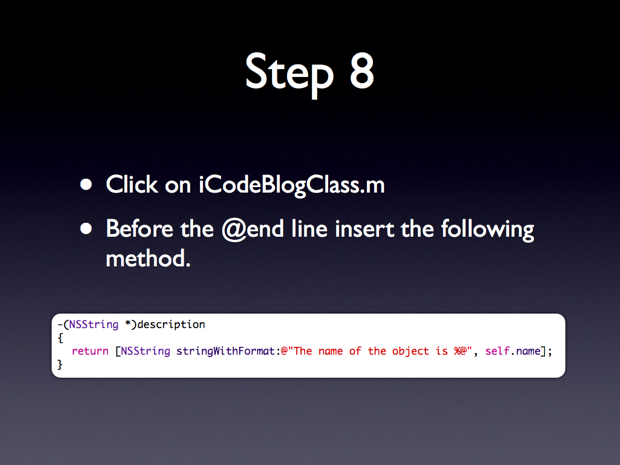
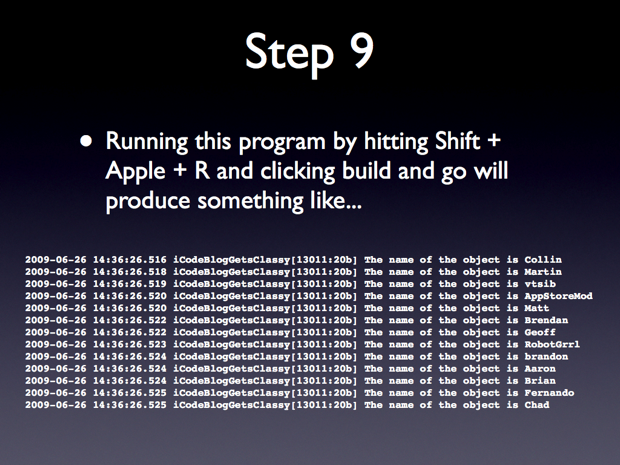
-(NSString *)description
{
	return [NSString stringWithFormat:@"The name of the object is %@", self.name];
}
objectivec20anintropt2049
  • Locationc

    really cool !
    I learned a lot of from it.
    Hope can see more about it!!

  • Chris

    I love this series. You make it very easy to follow, I have been looking for something like this for some time.

    Keep up the good work.

  • http://www.anmldr.com Linda

    I tried to download the source code but need the user name and id to download. thanks.
    Linda Miller, DVM

  • http://www.anmldr.com Linda

    Don’t know if the last request went through.

    I am requesting a user name and password to download the source code.

    Thank you
    Linda Miller

  • http://www.rightsprite.com Collin

    Linda,

    Sorry about that. No username or password required. I simply left FTP on the URL. It should be working now. Thanks for reading!

  • http://www.appstoremod.com AppStoreMod

    LOL I was in the video. Also great tutorial man that was awesome.

  • http://www.svenkubiak.de kubi

    Really great tutorial! I’ve been working with xcode quite a while now, but your tutorial made some thins even clearer! Thank you!!!

  • Jimmy Liu

    Thanks for tutorial, It’s great to me, keep going man.

  • Maiquer

    I’ve recently discovered this blog while I was looking for iPhone coding and Obj-C tips. All I can say is Thank You for these excellent tutorials. They are helping me a lot.

    Clear explanations and very nice presentation. Just perfect.

    Thanks a lot.

  • Fernando

    Just heard my name in the tutorial while i was walking around and listening to it and almost started laughing :) Thanks for the credits.

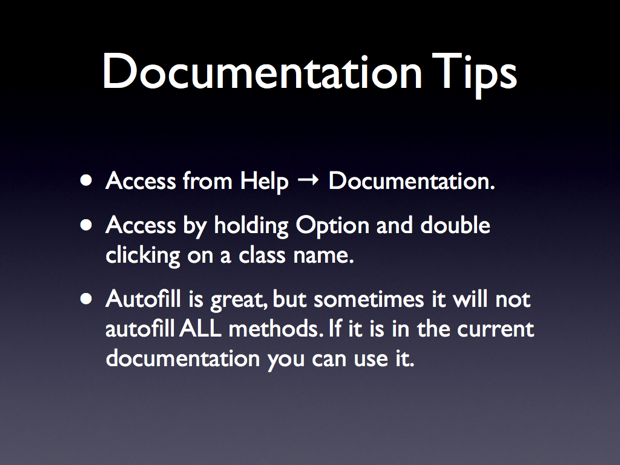
    Very good tutorial, believe it or not that tip about the documentation and how to properly use and read it is about the most helpful tip I have come across since I have started dealing with iPhone programming.

    Great work with the videos and on providing the code. There are very few quality sites like this, and this has given me a strong foundation to objective-c/iphone programming that countless books and apple pdfs could not. Can’t wait for the next part in the series.

  • http://www.outtoplay.com Brendan G.

    Great work Collin… I totally understood and ‘synthesized’ that lesson (man, that was a geeky play on words). But seriously, You have a great speaking cadence, and keep the listener engaged.

    Really looking forward to future editions. Now program yourself a damn donate button and at least let a few of us buy you some beers!

    best,
    B.

  • http://www.egtheblog.com Elbert

    That was an excellent tutorial! The keynote presentation was very well done and extremely polished. Keep up the good work man. I’m looking forward to your next one.

  • http://twitter.com/lesseffective Lewis

    Hmmm – I’m getting a ‘page not found’ error when I try to d/l the source code.

    Thanks for another great tutorial!

  • Aaron

    This is fantastic, I was hoping you could also repost the first screencast since it seems to be down? Thank you!

  • http://www.rtrsolutions.com LockeCole117

    Thanks for the beginner’s guides! These are really making my foray into the iPhone development world alot more enjoyable (and more comprehensive).

  • rice

    Thank you for these screen casts! They have really helped to explain the usage of cocoa. Could you possibly post number 1 on vimeo, too?

  • Josso

    When does part 3 come?

  • http://www.meteosun.com Maverick

    Very useful tutorial ! I’m really looking forward the next ones :)

  • http://scoutic.com layne

    These are better than the stanford class videos.

    Please assign them a category (screencast or something) so they are easy to find on the blog.

    looking forward to the next one

    thanks

  • Vince

    I had trouble in part 1 for a few minutes because I didn’t realize that xcode was case sensitive. For example, NSString is not the same as nsstring to the xcode compiler.

    I have watched part 1 and I am just starting part 2. Perhaps you’ll cover that here. :)

  • Vince

    I assume that at some point you cover variable allocation and DEallocation. Great tutorials so far!

  • http://www.deepmirage.com Kent

    Cool piece here. Learned a lot from it. You see, this should be the approach for starters. Doing a new language means being oriented with the basics like reserve words, pre-defined methods, etc… The moment you’re familiar already with the terms, and you can pitch in your stock knowledge, then it wouldn’t be a hard thing for you to move on and feel comfortable with it.

  • Michael Kork

    Great tutorial.. I have some general questions.
    What is the difference between @class and @implementation.. When do we need one of them or both.. I’m confused..

  • amacaninch

    The video link does not seem to be working…

  • http://profiles.google.com/stevefunk70 Steve Funk

    Collin, great job. Even though this is now two years old I got a lot out of it as a new Objective-C programmer. You have a great way of walking through things with, in my opinion, a great balance between informative and fun. Thanks very much and don’t stop making them!

  • Singh

    Very helpful tutorial for getting started

  • Wgreen84

    Great Tutorial Thanks.

    firstly sorry about the colours.I was just wondering instead of typing out 

    p.p1 {margin: 0.0px 0.0px 0.0px 0.0px; font: 11.0px Menlo}
    span.s1 {color: #480085}
    span.s2 {color: #e90000}

    [myArray addObject:person 1];13 times how would you use a for loop to do it ?I tried 

    p.p1 {margin: 0.0px 0.0px 0.0px 0.0px; font: 11.0px Menlo}
    p.p2 {margin: 0.0px 0.0px 0.0px 0.0px; font: 11.0px Menlo; min-height: 13.0px}
    span.s1 {color: #d200a5}
    span.s2 {color: #3900de}
    span.s3 {color: #480085}
    span.s4 {color: #e90000}
    span.Apple-tab-span {white-space:pre}

    for (i=1;i<=13; i++) {

    [myArray addObject:person+i];
    }but this obviously wont work just wondering what the syntax is to append the variable i to person ?Cheers

  • Wgreen84

    Great Tutorial Thanks.
    I was just wondering instead of typing out 
    [myArray addObject:person 1];13 times how would you use a for loop to do it ?I tried 
    for (i=1;i<=13; i++) {[myArray addObject:person+i];
    }
    but this obviously wont work just wondering what the syntax is to append the variable i to person ?Cheers

  • Hoangxuz

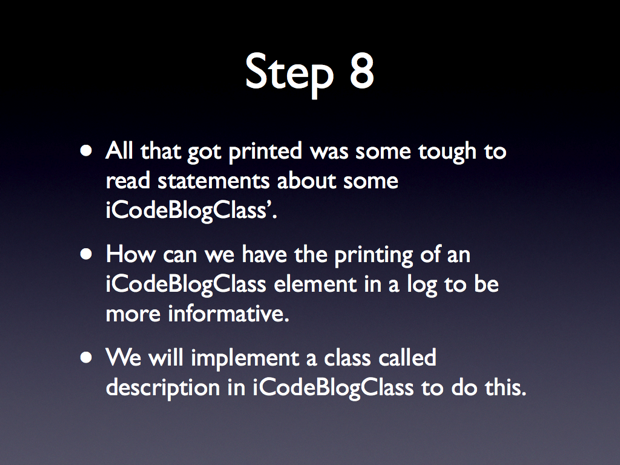
    Step 8: “We will implement a CLASS called description in iCodeBlogClass…”. CLASS should be METHOD

  • http://www.onlywebpro.com onlyWebPro

    Great tutorial! It’s very useful for beginner! Thank you!

    Looking forward to your part 3!

    Regards,
    The Founder of onlyWebPro.com

blog comments powered by Disqus