Back To Basics – Getting Set Up For iOS Development

  • Twitter
  • Facebook
  • Digg
  • Reddit
  • StumbleUpon
  • del.icio.us
  • Google Bookmarks
July 18th, 2011 Posted by: (ELC) - posted under:Tutorials

For this tutorial, we are going to discuss the basics of getting set up for developing on the iOS platform. While there are many 3rd party tools that allow you to develop a number of ways, I am only going to discuss the officially supported ones from Apple. That being said, let’s get started.

The Hardware
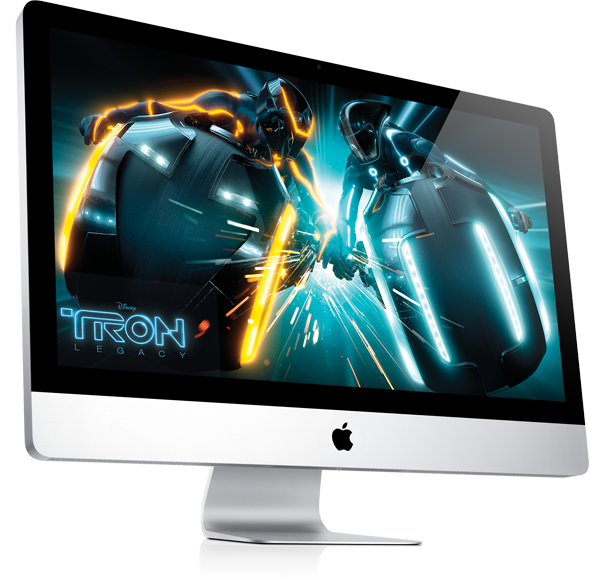
The first thing you are going to need is an Intel Based Apple Computer running OSX 10.6.6 or better. Hackintosh computers have been know to allow you to develop on them however, they are not recommended as they require quite a bit of configuration. So, your best best is to develop on the real thing.

Besides that, who wants to use a Windowz box anyway?

The Account

To become a bonafide iOS developer, you must sign up for Apple’s iOS Developer program. It’s free until you are ready to submit your applications to the App Store. So, if you are just tinkering with iOS development and want to give it a shot, there is no risk.

Once you sign up, you will have access to the latest SDK, developer articles, sample code, documentation, XCode, and more! What are you waiting for? Sign Up Now!

Once you are ready to deploy your first application, you will need to upgrade your account for the low low price of $99.  Also, you must pay this fee when you are ready to test on your own device.  The free account limits you to using only the simulator for testing.

One cool thing this gets you (besides the ability to submit applications to the App Store) is you get to download all of the early iOS releases. As I write this post, I’m running iOS 5 beta on my device which isn’t slated to come out for another couple months.

The Software

In order to develop for the iOS platform, you must have the iOS SDK installed. Apple has nicely bundled their SDK up along with some other great tools such as XCode in order to make it super easy for you to install and get coding.

With the download your get quite a bit (from Apple’s site)

“This is the complete Xcode developer toolset for Mac, iPhone, and iPad. It includes the Xcode IDE, iOS Simulator, and all required tools and frameworks for building Mac OS X and iOS apps.”

So even if you don’t have an iOS device (I didn’t when I first started developing AND BLOGGING on iCodeBlog), you can still develop and test your applications. One note on this however is, always test on a real device before submitting an application to the store. The simulator is a great tool to use while testing but is very misleading in terms of performance abd behavior.

Conclusion

Well, I hope that this post has found you well and you are now on your way to creating your first iPhone application. In the next tutorial in this series, I will be discussing the basics of XCode and setting up your iOS projects.

If you have any comments, questions, or things to add, feel free to post them in the comments section of this post.

Happy iCoding!

This post is part of an iOS development series called Back To Basics.  You can keep up with this series through the table of contents, RSS feed, or Twitter.

  • http://www.icodeblog.com/2008/07/24/iphone-programming-tutorial-1-getting-set-up/ iPhone Programming Tutorial – Getting Set Up | iPhone Programming Tutorials

    [...] tutorial has been updated here.  It will remain up for posterity [...]

  • Anonymous

    Um, duh.

  • Anonymous

    Um, Troll ;) J/k man.  Although YOU must be an uber 1337 h4x iOS dev with everything figured out based on your highly intelligent comment, this information is very valuable to newer developers.  It is also essential to write about this as Im doing a series called “back to basics”, so obviously this is the first step.
    But thank you for visiting and happy Trolling!

  • http://www.plus14.com/ tarlen

    Note in order to run the latest stable Xcode build (4.0.2), you actually need OSX 10.6.6. You can still download Xcode 3, but that only supports up to iOS 4.2, still requires OSX 10.6.4 (from memory), and will probably be discontinued before too long.

    There are a few people out there that have successfully developed and distributed applications using a Hackintosh. The first two apps I developed and released were done using a Dell Hackintosh.

    All that really did, however, was highlight how important it is to have a real Mac. The main issue I faced was the ever increasing minimum requirements for Xcode. I had 10.5.5, but within 3 months the minimum requirement was 10.5.6, and upgrading was a pain. I’m now on my second MacBook Pro, and third Mac overall since September 2008.

  • http://www.plus14.com/ tarlen

    It’s probably also worth pointing out for people just getting started that you need to pay the $99 program fee before you can install apps on your devices as well.

  • Anonymous

    Hey Tarlen,

    Thanks for the info (and corrections).  Cool to hear that you actually had apps accepted that you created on a Hackintosh.  I heard it is just a huge challenge to get that set up for dev.

    Good call on the fee as well, I will update the post.

    Thanks again.

  • http://www.plus14.com/ tarlen

    Installing it was a pain, but that was specifically because I was trying to dual-boot Windows and Hackintosh (which I did get working). If I’d been installing Hackintosh on it’s own it wouldn’t have been too bad. Once the OS is installed, all the apps install and work the same way.

    There were some stability issues too (crashed maybe once a day, not terrible, but annoying).

    Note this is just my experience from one distro, used for about 4 months. I’m sure other people have more or less success depending on their skill levels and distro being used.

    While I do recommend developers get a real Mac, it was great for me to start on a Hackintosh. One of my aims was to find out whether or not I actually wanted to do iPhone development, and I didn’t want to buy a Mac if it turned out that I wasn’t interested.

  • http://www.plus14.com/ tarlen

    Oh yeah – I did have major issues getting either ethernet or wifi working on my Dell laptop, and in fact never succeeded with either. I had to get a cheap USB wifi stick, but once I got that there were no problems.

  • http://www.plus14.com/ tarlen

    Oh yeah – I did have major issues getting either ethernet or wifi working on my Dell laptop, and in fact never succeeded with either. I had to get a cheap USB wifi stick, but once I got that there were no problems.

  • http://www.icodeblog.com/2011/07/12/iphone-development-back-to-basics/ iPhone Development – Back To Basics | iPhone Programming Tutorials

    [...] Getting Set Up For iOS Development [...]

  • Anonymous

    Good point.

    Actually, it is a bit strange that I need to pay to be able to install the aplication I am developing on my own iPhone/iPad.

    I understand that deployment to someone elses device and to the AppStore might require a subscription but if I am programming just for myself for fun – it seems to be a bit too much.

  • Tucker

    Thank you for the information.

  • Alex_hilditch

    Are these programmes only available for a apple device?

  • Anonymous

    Hey Alex,

    Yes, the development tools are not available on other platforms.  If you are looking to develop iOS applications on another platform, I’d suggest using a multiplatform tool such as CoronaSDK (http://www.anscamobile.com/corona/) or Unity 3D (http://unity3d.com/) . However, both of these platforms are primarily for creating video games.

    Hope that helps.

  • Rindalke

    Solid intro post. Typo: abd

  • http://www.websitesit.com.au/ web development Sydney,

     Hi,
    Very excellent information. I think all the application are compatible with every operating and computing systems which make it very unique.

  • seema

    nice……!

  • Vofox solutions

    Hire high quality android developers from Vofox solutions India… Visit http://www.vofoxsolutions.com/iphone.html for details on hiring…..

  • Gordon Yeong

    I’ve just signed up for the developer programme (free).

    When I go to http://developer.apple.com/xcode/index.php, all i could do is download xcode 3 despite the page talking about xcode 4. I’m under the impression that to get xcode 4, you’ll still need to pay the $99 fee.

    Am I right?
     If this is not the case, can you please show us where the download linke is for xcode 4? 

    thank you :)

  • Gordon Yeong

    I’ve just signed up for the developer programme (free).

    When I go to http://developer.apple.com/xcode/index.php, all i could do is download xcode 3 despite the page talking about xcode 4. I’m under the impression that to get xcode 4, you’ll still need to pay the $99 fee.

    Am I right?
     If this is not the case, can you please show us where the download linke is for xcode 4? 

    thank you :)

  • Tufuvang

    Yeah I experience the same thing.  They may have changed the policy, I don’t know

  • Anonymous

    Thank you for this blog, I hope to get started shortly creating a medical communication app to help people.

  • http://twitter.com/achelab humbertqz

    thanks for posting this kind of tutorials , are great for anyone trying to start developing their own apps 

    cheers!!

  • 123

    khallay

  • Anonymous

    Basic ideas that is provided for the above iPhone application and these is some tutorial available in the market for the more business.
    —————-

    iPhone Games Development | Hire iPhone Developer

blog comments powered by Disqus
canakkale canakkale canakkale balik tutma search canakkale vergi mevzuati